Stack Walkthrough

Follow along step by step to learn how PersonaStack stacks work.

Mission

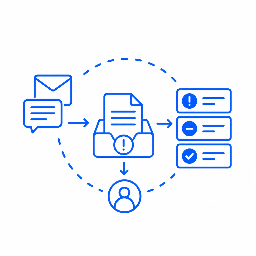
Resolve reported bugs, ship tested fixes, and keep the team informed in Slack.

TriageBot

Integrations

  • Slack Integration
  • GitHub Integration

Responsibilities

  • Monitor Slack for bug reports.
  • Create GitHub issues with clear reproduction steps.
  • Send actionable issues to Coder.

Coder

Integrations

  • GitHub Integration

Responsibilities

  • Investigate and fix assigned bugs.
  • Run tests and open a pull request.
  • Ask Release Manager to review the change.

Release Manager

Integrations

  • GitHub Integration
  • Railway Integration
  • Slack Integration

Responsibilities

  • Review and release tested changes.
  • Verify the deployment on Railway.
  • Share release updates in Slack.

Define responsibilities. Let the team work out the steps.

Give your stack a mission and each persona a clear responsibility. Personas use their tools, understand their teammates’ roles, and decide when to act, delegate, or ask for help.

A bug fix might need another review, more testing, or input from a different teammate. Your stack can adapt its approach without you considering every possibility and handoff in advance.

  • Less process to prescribe. Describe the outcome and assign ownership without mapping every possible path.
  • Coordination that adapts. Personas can revisit work and involve the right teammate as circumstances change.
  • Change the team without rebuilding the process. Add a specialist or adjust responsibilities so personas can delegate to the right teammate as needs evolve.

A Real Example

Issue Triage and Security Patching

Automatically triages incoming GitHub issues by categorizing them or patching easy fixes. Automatically checks for upstream dependency security fixes daily and integrates them before releasing a new semver security patch. Be sure to update your repository in the mission when deploying this stack.

Mission

Maintain the codebase at github.com/YOUR/CODEBASE with the latest security updates. Track all known dependency updates needed in GitHub issues with the tag #security.

Security Patcher

Integrations
  • GitHub Integration
Responsibilities
  • Proactively and automatically checks for and applies security patches daily for all various upstream imports, libraries, and packages.
  • Responsible for releasing security fixes as patch semver versions. Includes changelog notes and GitHub releases.
  • Creates PRs, ensures tests pass, then merges them into the default branch of the repository before making a tag and release.
  • Creates GitHub issues for security updates needed in dependencies, references them in PRs, and closes them out once patched.

Issue Triage

Integrations
  • GitHub Integration
Responsibilities
  • Handles new GitHub issues as they are created.
  • Categorizes and labels new issues.
  • Forwards issues that involve security to the Security Patcher.
  • Raises maintainer attention for important bugs.
  • Thanks first time project contributors.
  • Fixes small bugs or documentation errors raised in issues if they are obvious and easy to fix without changing program behavior.